Weather Radar, Live Radar
Weather Forecast & Widget & RadarWeather
4.627.05K Reviews
- Version
- 2.1.6
- Installs
- 10.00M
- Age Rating
- Everyone
Screenshots
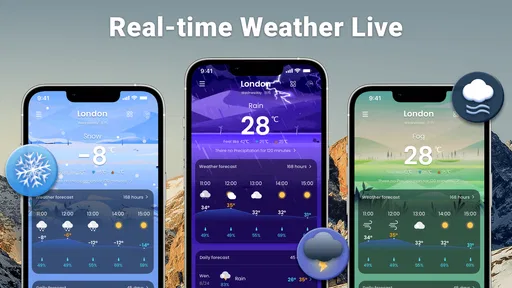
Our Review of Weather Radar, Live Radar
 Analysis by Appyee
I tend to check the weather at a few predictable moments: before leaving home, before making plans outdoors, and when the sky looks different from the forecast I saw earlier. Weather: Live radar & widgets brings those checks together in one place, with a radar view, home-screen widgets, and detailed forecasts. I like that mix because it lets me get a quick answer when I’m busy, then look closer when rain or changing conditions could affect the day.
Getting Started: First Impressions
First off, downloading and setting up Weather: Live radar & widgets was a breeze. It didn’t take up much space on my phone, which is always a win. Once I opened it, I was greeted with a clean and modern interface. Seriously, the layout is sleek, and everything’s super intuitive. You don’t have to be a tech wizard to navigate through it.
A Routine That Makes the Forecast Useful
What works best for me is treating the app as a small planning tool, not something to watch constantly. I glance at the widget in the morning to get oriented, open the hourly forecast when I need to decide when to leave, and use radar if the weather seems unsettled. Those are different questions, and the app’s combination of views helps me answer them without relying on one screen for everything.
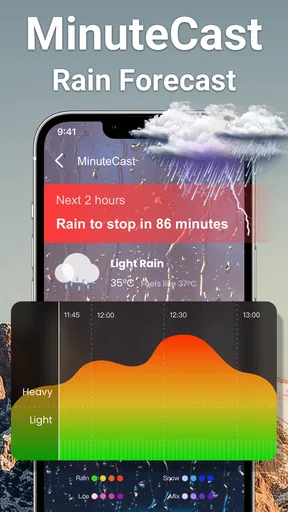
For example, imagine I’m heading out for a walk after work and the afternoon forecast mentions rain. I can check the hourly outlook to see how the timing may affect my plans, then look at the radar for a visual sense of nearby movement. I wouldn’t treat either view as a guarantee, but together they offer a more practical picture than a single daily icon. If the timing still looks uncertain, I can make a flexible plan rather than assuming the rain will start at an exact minute.
This distinction matters: a widget is ideal for a quick glance, while the full app is better when I have a decision to make. The widget saves a few taps, but it can’t replace the context of a forecast or a radar map. I find that using each view for its intended purpose makes the experience less cluttered and prevents me from overinterpreting a brief summary.
Features That Stand Out
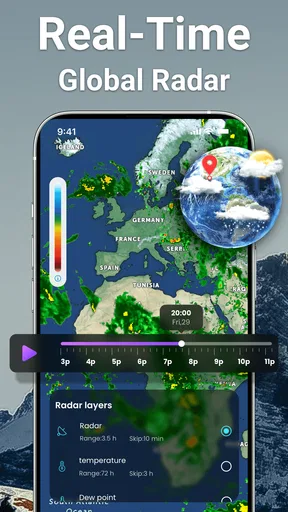
Now, let’s talk features because this app is packed with them. The live radar is probably my favorite. It's almost hypnotic watching the radar in action, showing real-time weather changes. Whether it’s sunny, raining, or even snowing, you get a clear picture of what’s coming your way.
Radar is most valuable to me when I use it to answer a narrow question: does the weather near my area appear to be changing, and should I check again before heading out? A moving map gives a visual complement to forecast text, especially on a day when conditions are shifting. Still, radar is a snapshot of weather activity, not a promise about what will happen at my exact address. I use it as another clue, rather than as a reason to cancel plans on its own.
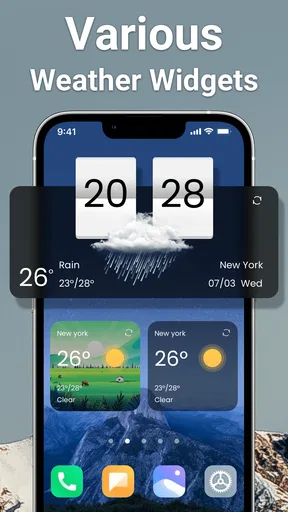
And oh, the widgets—let me tell you, they’re a game-changer. Having a handy widget on my home screen means I can glance at the current weather without diving into the app. Plus, there are different styles to choose from, so you can pick one that fits your vibe.
A useful habit is to choose a widget style that makes the information you personally check easiest to spot, then give it a consistent place on your home screen. If I’m usually deciding whether to take a jacket, a compact glanceable view is more useful than a design that looks attractive but takes longer to interpret. I’d also avoid adding several weather widgets just to see more at once: one clear shortcut is easier to scan and leaves room for the apps I use throughout the day.
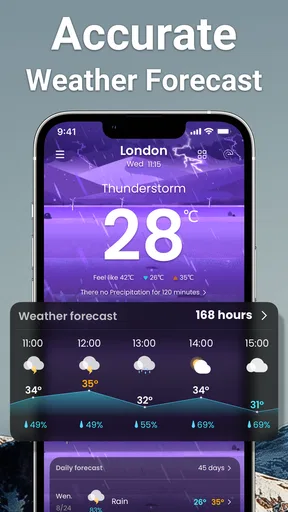
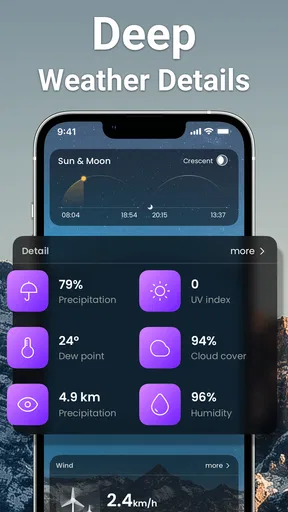
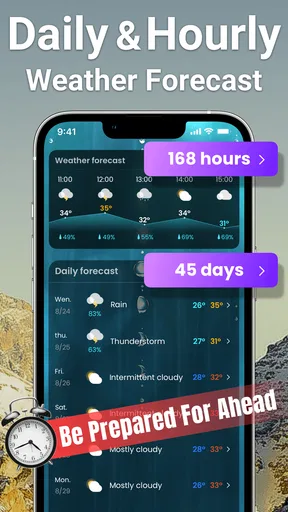
Another cool feature is the detailed forecasts. You’re not just getting a daily overview here. We’re talking hourly forecasts, UV index, wind speeds, and more. It’s like having your personal meteorologist in your pocket.
Those details become useful in different situations. Hourly information helps me think about timing; wind can matter when I’m cycling or spending time outside; and the UV index gives me another reason to plan a midday outing thoughtfully. I don’t need to inspect every metric every morning. I check the detail that matches the decision in front of me, which keeps a full forecast from turning into a wall of numbers.
Settings Worth Checking Before You Rely on Alerts
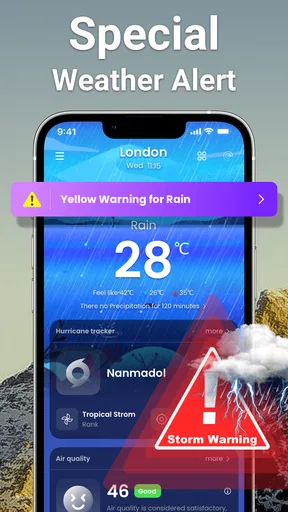
One thing that stood out to me was how customizable everything is. You can tweak the settings to get notifications about severe weather alerts, or just daily forecasts if you prefer. It really caters to how much or how little information you want.
I’d make that choice early, because a useful alert is one that earns attention rather than one that becomes background noise. If I want warnings but don’t want routine reminders, I’d keep the notification setup focused on the kinds of updates I actually need. If I prefer a quieter phone, I can lean more on the widget and open the app when I choose. The right balance depends on how often I’m outdoors and how much I want my phone to interrupt me.
I also think it’s worth taking a moment to make sure the app is showing the place relevant to the day’s plans. A home forecast is convenient, but it may not be the forecast I need when I’m spending the afternoon elsewhere. Before a trip across town or a visit to another area, I’d check the location being viewed rather than assuming my usual screen answers the new question. That simple check can prevent a familiar routine from creating false confidence.
Faster Patterns for Busy Days
For a repeatable morning check, I’d use the widget first, then open the app only if the forecast suggests a decision is needed. That creates a quick two-step routine: get the broad picture, then inspect the hourly forecast or radar if timing matters. It is faster than opening every panel each time, and it helps me reserve closer attention for days when conditions are less predictable.
When I’m getting ready to leave, I find it useful to check the forecast at the point when I can still change what I bring. If rain looks possible, I can decide about an umbrella before I’m already outside; if wind is the concern, I can reconsider a route or activity. The practical value is not that the app makes the decision for me, but that it puts relevant information in front of me early enough to act on it.
For outdoor plans, I’d check once when arranging the plan and again closer to departure if the weather looks unsettled. That’s a more sensible pattern than repeatedly refreshing the screen. The radar and forecast serve as a way to reassess, not as a guarantee that conditions won’t change. For anything where safety is the main concern, I’d pay attention to severe weather alerts and use good judgment rather than relying on a map alone.
User Experience: Smooth Sailing
Using the app is pretty straightforward. Everything’s laid out in a way that makes sense. I didn’t encounter any hiccups or crashes, which is always a relief. The app runs smoothly, and the updates are lightning-fast.
The straightforward layout is a real advantage if I only want a quick answer and don’t want to learn a complicated forecasting interface. Compared with checking a basic weather screen built into a phone, this app gives me the additional radar and widget options in the same general workflow. Compared with specialist weather tools, it feels more approachable for ordinary daily planning, though someone who needs highly technical meteorological analysis may prefer a more specialized service.
That trade-off is worth keeping in mind. More views can make an app useful for different routines, but they can also invite unnecessary checking. I would not recommend opening the radar every few minutes when the day is stable; the widget or a quick forecast glance is usually enough. The app is strongest when I choose the level of detail to match the question rather than treating every feature as something I have to use.
Where It Fits—and Where It Doesn’t
This is a good fit for someone who wants more than a basic temperature check but doesn’t want to build a complicated weather setup. A commuter can use the widget before leaving and the hourly outlook to think about timing. Someone planning a walk, a casual outdoor meal, or errands can use radar as a visual extra when conditions seem changeable. The combination is especially handy for people who like to prepare without spending long periods studying forecasts.
I’d be less enthusiastic about recommending it to someone who wants only a bare-bones current temperature and has no interest in widgets, radar, or forecast details. A phone’s simplest built-in weather view may be enough for that person. Likewise, if a user depends on highly specialized forecasting information for work or a technical outdoor activity, a general-purpose weather app may not be the best sole source. The app’s strength is everyday usefulness, not replacing expert judgment.
There is also a natural limitation to any forecast-focused app: a polished screen cannot make uncertain weather certain. A radar image may be helpful for seeing a pattern, but it shouldn’t be read as a precise guarantee for every street or moment. I’d use the app to make better-informed everyday choices, while staying flexible when the weather itself is unpredictable.
Practical Details and Value
The app is free to download, with in-app purchases ranging from $5.99 to $9.99 per item. I’d start with the free experience and decide whether the tools I use regularly meet my needs before considering any purchase. That’s a sensible approach for a weather app: first see whether the widget, forecasts, and radar fit your routine, rather than paying for something before you know how often you’ll use it.
It is developed by Weather Forecast & Widget & Radar and is rated for Everyone. The current version is 2.1.0, and it supports Android 6.0 and later. It has a 4.7 average from around 393,000 ratings, with over 10 million installs. Those figures suggest it has reached a broad audience, but I’d still judge it by whether its views and alert options match my own habits.
In day-to-day use, the question I’d ask is whether I want a single place to check both a quick overview and a more visual weather view. If yes, the app’s setup makes sense. If I only check the temperature once in a while, some of its extra detail may go unused. It is easy to install, but the best reason to keep it is a repeatable routine that genuinely saves me time or helps me prepare.
Is It Worth Your Time?
So, is Weather: Live radar & widgets worth downloading? In my opinion, absolutely. If you like being in the know about weather conditions and enjoy having a plethora of information at your fingertips, this app delivers.
The combination of real-time radar, widgets, and detailed forecasts makes it a comprehensive tool for anyone who likes to plan their day based on the weather. Plus, the app’s design is user-friendly, which makes the whole experience enjoyable.
If you’re a weather enthusiast or just someone who hates getting caught in the rain without an umbrella, give this app a try. It’s a handy little companion to have, whether you’re planning a trip or just curious about the weather.
All in all, Weather: Live radar & widgets has earned its spot on my phone, and I’d recommend it to anyone looking for a solid weather app. Give it a whirl, and let me know what you think!
Privacy and Permissions
See what permissions an app requests and how it handles your data.
- Location
- approximate location (network-based), precise location (GPS and network-based), access extra location provider commands
- Wi-Fi connection information
- view Wi-Fi connections
- Other
- view network connections, send sticky broadcast, connect and disconnect from Wi-Fi, disable your screen lock, expand/collapse status bar, full network access, run at startup, draw over other apps, control vibration, prevent device from sleeping, set an alarm, Google Play license check, read Google service configuration
Verdict
Strengths of Weather Radar, Live Radar
- User-friendly interface for easy navigation.
- Real-time radar updates for accurate tracking.
- Customizable widgets for quick access.
- Detailed forecasts for planning ahead.
- Global coverage with localized options.
Limitations of Weather Radar, Live Radar
- Frequent ads interrupt user experience.
- Premium features behind a paywall.
- Occasional lag in radar updates.
- Requires stable internet for accuracy.
- Battery consumption can be high.
Similar Picks in This Category
View All
Weather - By Xiaomi
Xiaomi Inc.4.1

Weather & Radar Forecast
WetterOnline4.8

Weather
OneLouder Apps4.6

AccuWeather: Weather Radar
AccuWeather3.6

The Weather Channel - Radar
The Weather Channel4.6

1Weather Forecasts & Radar
OneLouder Apps4.3
Frequently Asked Questions
What features does Weather: Live Radar & Widgets offer?
Weather: Live Radar & Widgets provides real-time weather updates, including temperature, precipitation, and wind speed. The app features interactive radar maps, customizable weather widgets for your home screen, and detailed forecasts for the next 7 days. It also includes severe weather alerts and sunrise/sunset times to help you plan your day.
Is Weather: Live Radar & Widgets free to use?
Yes, the app offers a free version with basic features. However, for an ad-free experience and access to premium features such as advanced radar layers and extended forecast options, users can opt for a subscription. This allows for a more comprehensive weather tracking experience.
How accurate are the forecasts provided by the app?
The app utilizes data from multiple reliable weather sources and employs advanced algorithms to ensure high accuracy. It provides hourly updates, helping users stay informed about sudden weather changes. Users have reported a high level of satisfaction with the app’s accuracy in both short-term and long-term forecasts.
Can I customize the widgets on my home screen?
Yes, Weather: Live Radar & Widgets offers customizable widgets that allow users to choose different sizes, styles, and information displays. You can select what weather details you want to see, such as current temperature, hourly forecasts, or severe weather alerts, making it easy to personalize the information according to your preferences.
Does the app send notifications for severe weather alerts?
Absolutely. The app is designed to keep users safe by providing timely notifications for severe weather conditions. You can set up alerts for specific weather events such as storms, heavy rain, or extreme temperatures, ensuring you receive vital information to stay prepared and safe during adverse weather conditions.
